ChatGPT Ads Manager BETA is here: Setup walkthrough and what to do while you wait

OpenAI's ChatGPT Ads Manager BETA is live. Here's how to prep your campaigns before your account is approved.

ChatGPT Ads Manager BETA: Setup walkthrough and what to do while you wait

TL;DR

OpenAI has launched a self-serve ChatGPT Ads Manager BETA at ads.openai.com. Setup takes four steps: business details, account configuration, identity verification via Persona, and a waiting period for account review. The catch is that it’s only available in select countries (not the UK yet), and account settings like country and currency can’t be changed once set. More importantly, don’t waste the waiting time. ChatGPT Ads works differently from Google Ads, so use tools like AdBridge now to get your campaigns export-ready before approval lands.

Published by Joss Froggatt May 06, 2026

OpenAI has opened the doors to its ChatGPT Ads Manager BETA. If you’ve been watching the AI search ads space, this is the moment a lot of us have been waiting for: a self-serve interface and the start of a real ads ecosystem inside ChatGPT.

Here’s a walkthrough of the setup flow, the gotchas worth knowing, and what your team should be doing the moment your account is approved.

Where to start

The new Ads Manager lives at ads.openai.com. Sign in with your OpenAI business account and you’ll land on the onboarding screen.

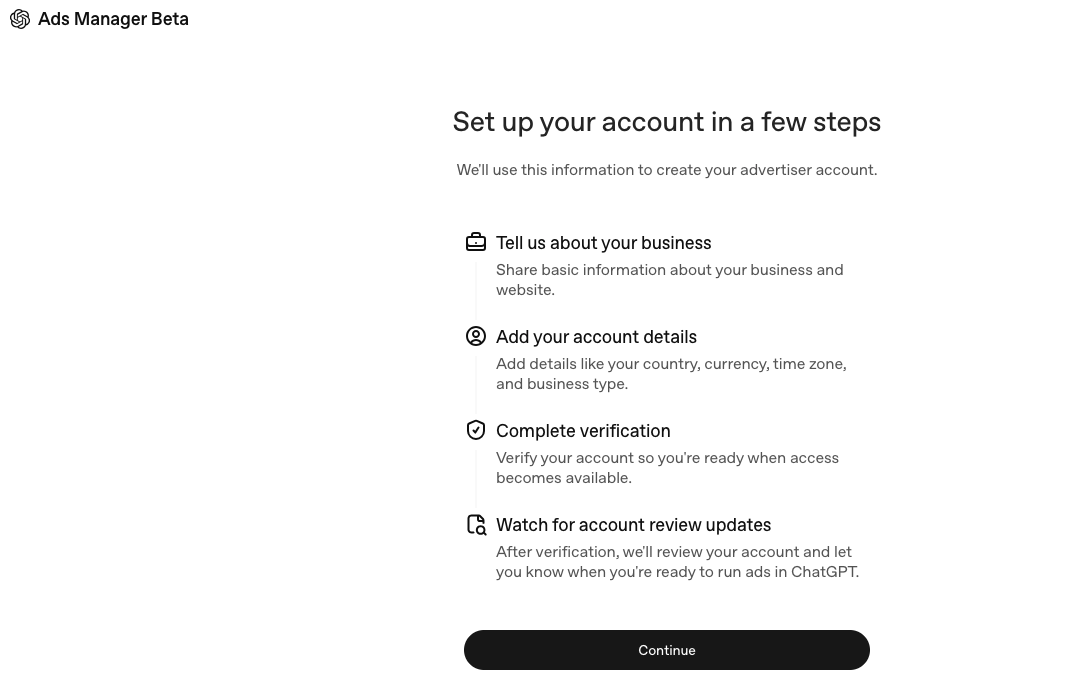
"Set up your account in a few steps" — Ads Manager Beta intro

“Set up your account in a few steps” — Ads Manager Beta intro

Four steps:

  1. Tell us about your business
  2. Add your account details
  3. Complete verification
  4. Watch for account review updates

It’s a clean, familiar pattern, close to what Meta and TikTok use for advertiser onboarding, but there’s a twist worth flagging upfront.

Account details and the country quirk

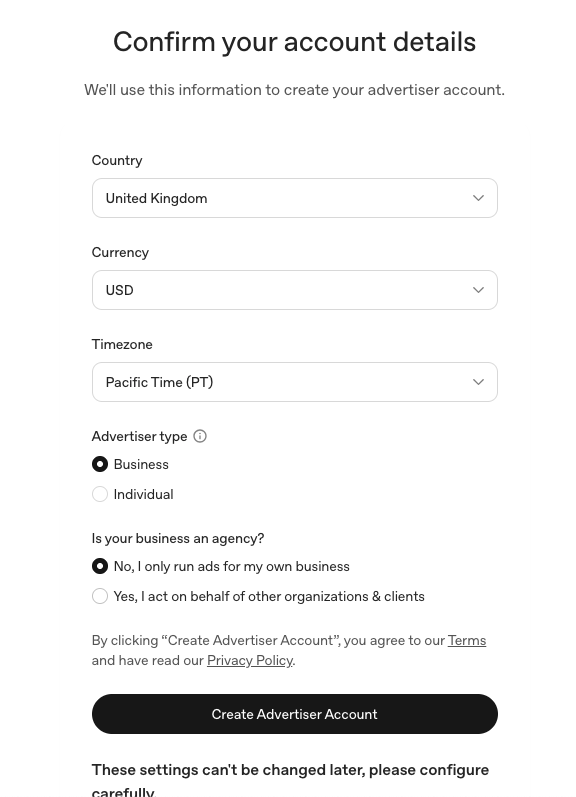
The “Confirm your account details” step asks for country, currency, timezone, advertiser type (Business or Individual), and whether you operate as an agency on behalf of clients.

"Confirm your account details" form - country, currency, timezone, advertiser type

“Confirm your account details” form – country, currency, timezone, advertiser type

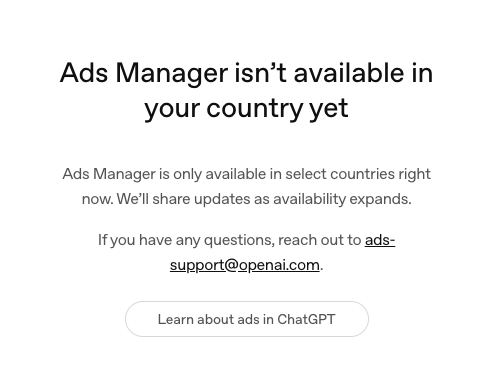
Here’s the catch: the BETA isn’t live in every market yet. Try setting this up in the UK for example, and you will be bounced to this screen:

Ads Manager isn't available in your country yet"

“Ads Manager isn’t available in your country yet”

To OpenAI’s credit, the UX handles it well, clear messaging, no dead-end, and a link straight through to the ChatGPT Ads documentation. But if you’re on a global team and want to get hands-on with the platform now, the working approach is to set up with details for live countries.

One thing the screen warns you about, and it’s worth taking seriously: these settings can’t be changed later. Pick the country, currency, and timezone you actually plan to bill and report against.

Verification — handled by Persona

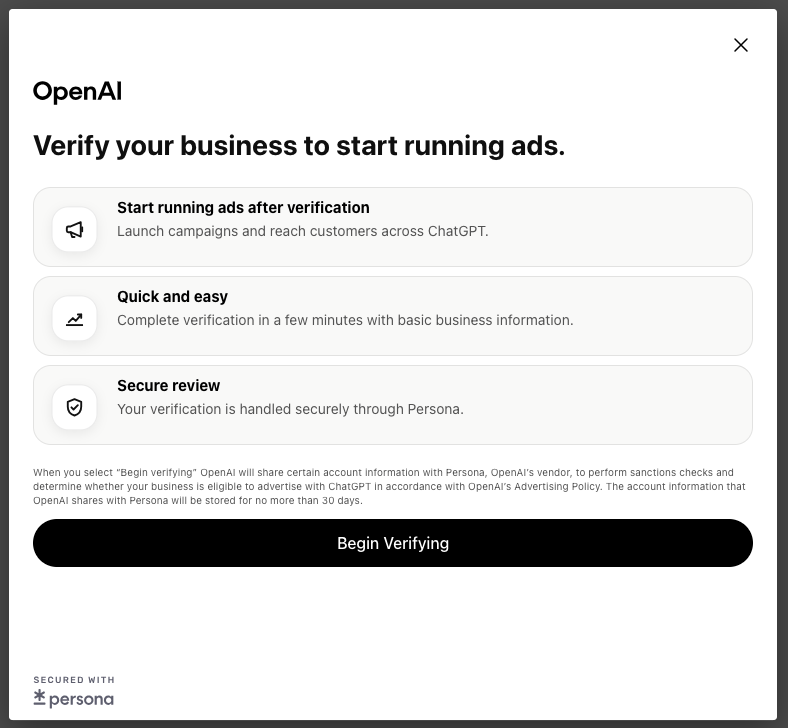
Once your details are submitted, OpenAI runs you through business verification. This is handled by Persona, the same identity-verification vendor used across fintech and platforms (Coinbase, Substack, Robinhood, Square).

"Verify your business to start running ads" — Persona verification step

“Verify your business to start running ads” — Persona verification step

The on-screen disclosure tells you OpenAI shares limited account info with Persona to run sanctions checks and confirm eligibility under OpenAI’s Advertising Policy. The data is held for no more than 30 days.

Hit “Begin Verifying” and you’re handed off to Persona’s flow to complete the standard ID and business checks. Have your business registration details, address, and a director’s ID handy and you should clear it in five to ten minutes.

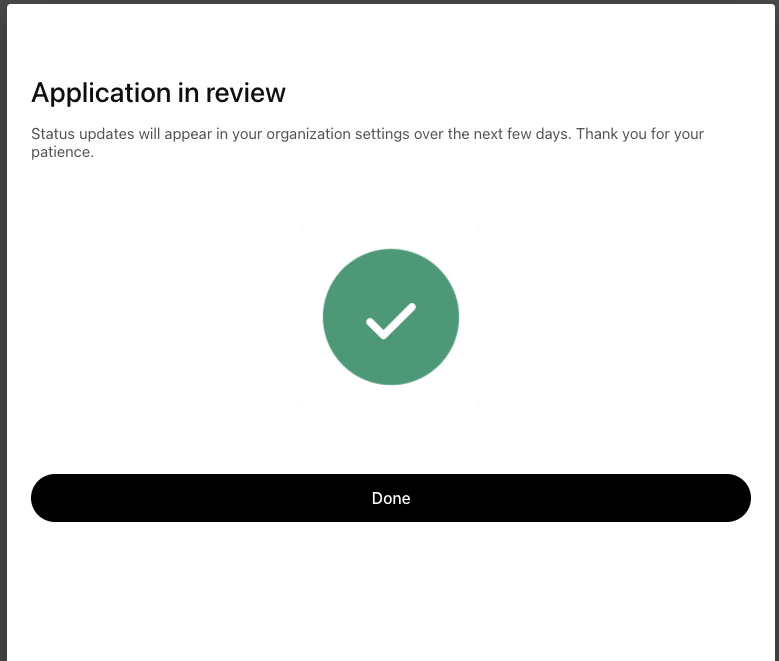
Application in review

After verification, you land in the now-familiar holding pattern.

Application in review" / "We're verifying your account"

“Application in review” / “We’re verifying your account”

OpenAI flags that “due to a high volume of signups, verification may take some time”, which tracks with what we’re hearing from other early advertisers we’ve spoken to. Status updates flow into your organization settings as your account moves through review, and you’ll get an email confirmation when you’re cleared.

So what do you actually do while you wait?

This is the part most teams will miss. The setup is the easy bit. The real question is: when your verification email lands, will your campaigns be ready to launch on day one, or will you spend the next two weeks rebuilding something similar to what you already have in Google Ads?

ChatGPT Ads isn’t a copy-paste of Google Ads. The keyword surface is smaller. Negative keywords are capped at 25. Match types behave differently. Intent terms (the long, conversational prompts users actually type into ChatGPT) matter more than head terms. Translating a mature Google Ads account into a ChatGPT-ready setup is real work, and most advertisers will sit on an approved account for days or weeks while they figure it out.

This is exactly why we built ChatGPT AdBridge.

AdBridge connects to your existing Google Ads account via one-click OAuth, reads your campaign structure, and rebuilds it for ChatGPT in minutes:

  • AI enriches your keyword coverage with the synonyms, variants, and intent phrases ChatGPT users are actually asking
  • It analyzes your full negatives list and picks the 25 that actually matter for how ChatGPT serves ads, not just a copy-paste from your top exclusions
  • It exports a ready-to-import CSV with creative briefs and ad copy, mapped to ChatGPT’s structure

It’s free, one-time use, and you can run it today against the Google Ads account you already have. There’s no reason to be sitting at the starting line when your verification email lands.

Once you're live - Introducing AI Ads Intelligence

Setup is one thing. Knowing what’s actually happening inside ChatGPT Ads is another.

Right now, advertisers running on ChatGPT have very little visibility outside their own account. There’s no Auction Insights. No competitor benchmarking. No share-of-voice. No way to see which prompts your competitors are appearing on while you’re invisible. You wouldn’t run Google Ads blind, but that’s effectively where ChatGPT Ads is for most early advertisers.

That’s the gap AI Ads Intelligence closes.

We’ve spent the last twelve months solving this problem on AI search broadly, LLM Rank Tracking, AI Overview Impact, the AIO Impact Index, and ChatGPT Ads is the natural next layer. AI Ads Intelligence gives advertisers a full view across ChatGPT and AI Mode:

  • Ad performance – where your ads are showing, which prompts you’re most visible on, and which keywords you’re missing
  • Ad copy sampling – your ads, your competitors’ ads, side-by-side, with recommendations on how to optimize
  • The full competitive landscape – who’s bidding against you, where they’re visible while you’re not, and how many advertisers you’re up against in your category
  • A customized action plan – which prompts to test next, where the quick wins are, and how to defend visibility you’ve already won


A similar playbook we built for Google Search over 14 years ago. Only this time, on the surface where the next billion queries are heading.

What to do this week

Three things, in order:

  1. Set up your ChatGPT Ads Manager account at ads.openai.com. If you’re outside a supported country, US details on a US admin email is the current working path.
  2. Run AdBridge against your Google Ads account so your ChatGPT Ads setup is export-ready when verification lands. It takes about as long as making a coffee.
  3. Get on the waitlist for AI Ads Intelligence so you’re not running blind on day one.

ChatGPT Ads is going to move quickly. The teams that are ready to launch the moment they’re approved are the ones that will reap early rewards from visibility in this new surface.

Related content